

Find required keys
Follow these steps to find the cookies and XSRF token used by `@orcushq/gemini` in Chrome DevTools. You must be signed in to Gemini Web before collecting these values.
1. Open Gemini Web and Chrome DevTools
- Open https://gemini.google.com/ and sign in to your Google account.
- Open Chrome DevTools by pressing F12 or Ctrl+Shift+I.
- Select the Network tab.
- Send a message in Gemini to generate a request.
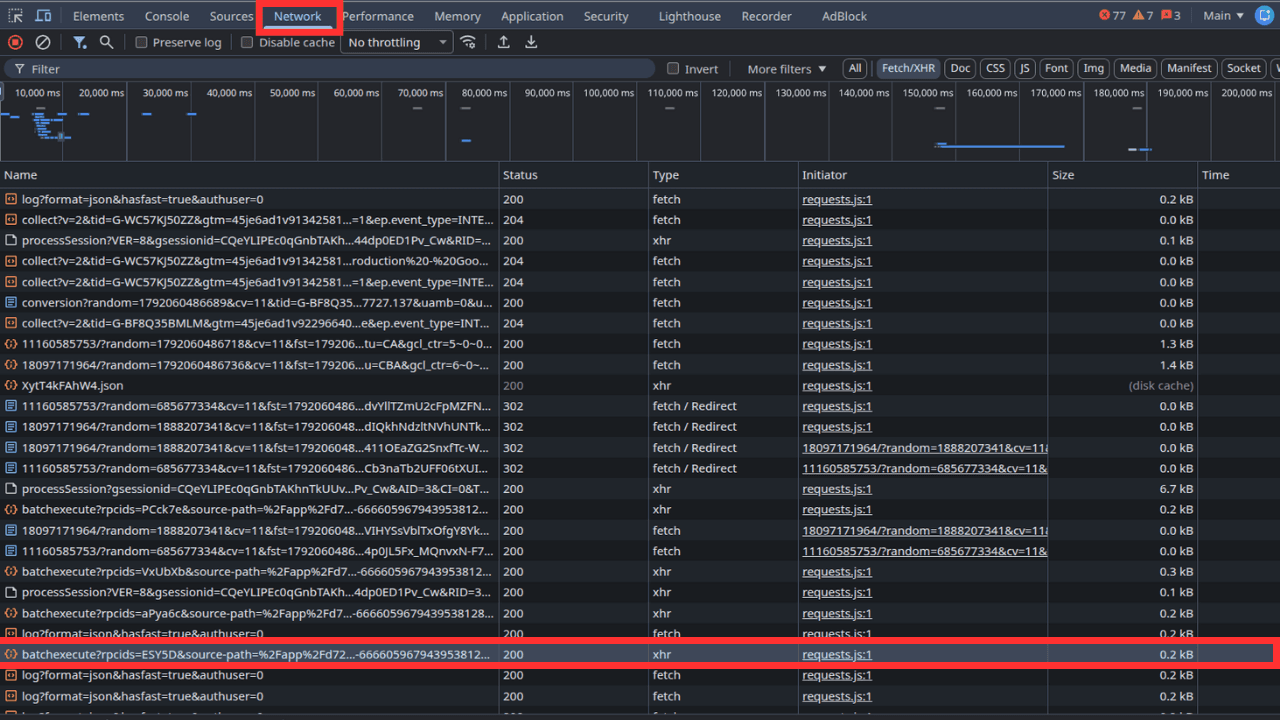
2. Find the cookies
- In the Network tab, select the request generated when you sent your message.
- Open the Headers tab.
- Under Request Headers, find the field named Cookie.
- Copy the complete Cookie header value, including all its name=value pairs separated by semicolons.
- Use this complete value for the
cookiesoption in your SDK configuration.
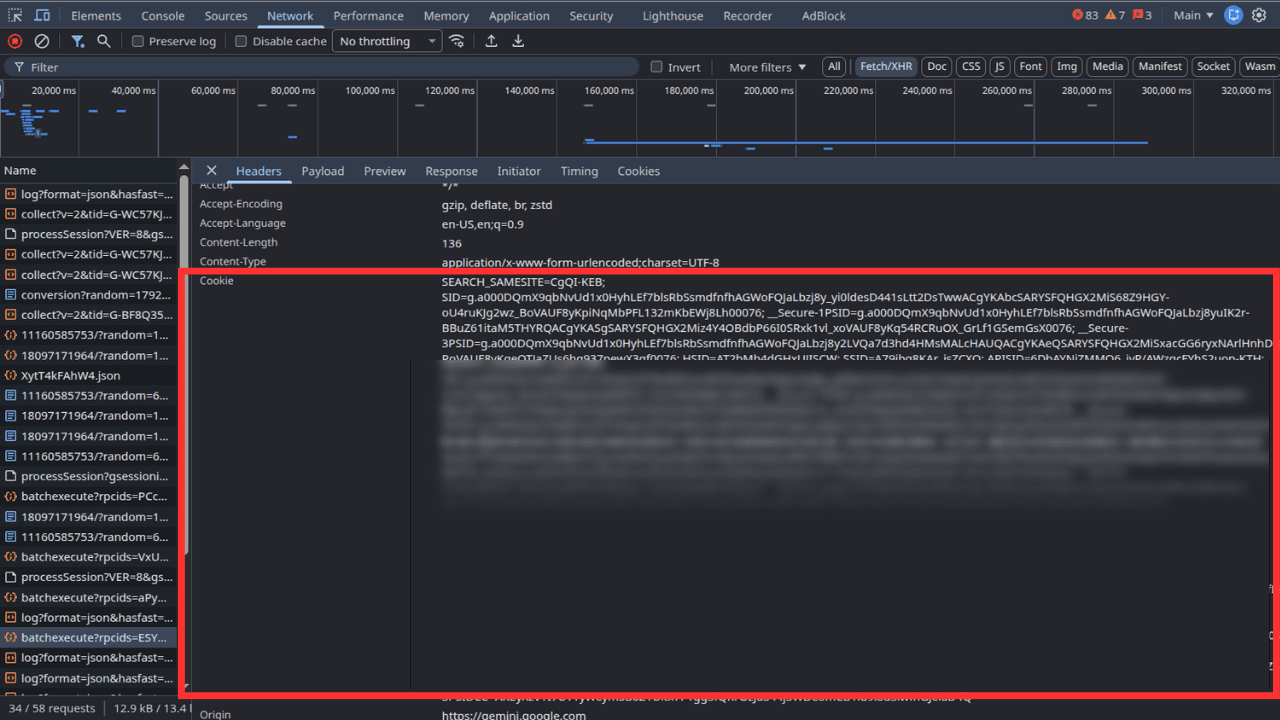
3. Find the XSRF token (`at` field)
XSRF token means the value sent in the request field named at. The field name is at, while the SDK configuration option is xsrfToken. They refer to the same value.
- Return to Network and select the same Gemini request generated when you sent your message.
- Open the Payload tab.
- Look under Form Data or the request payload for the field named
at. - Copy the value associated with
at, not the field name itself. - Use that value for the
xsrfTokenoption in your SDK configuration.
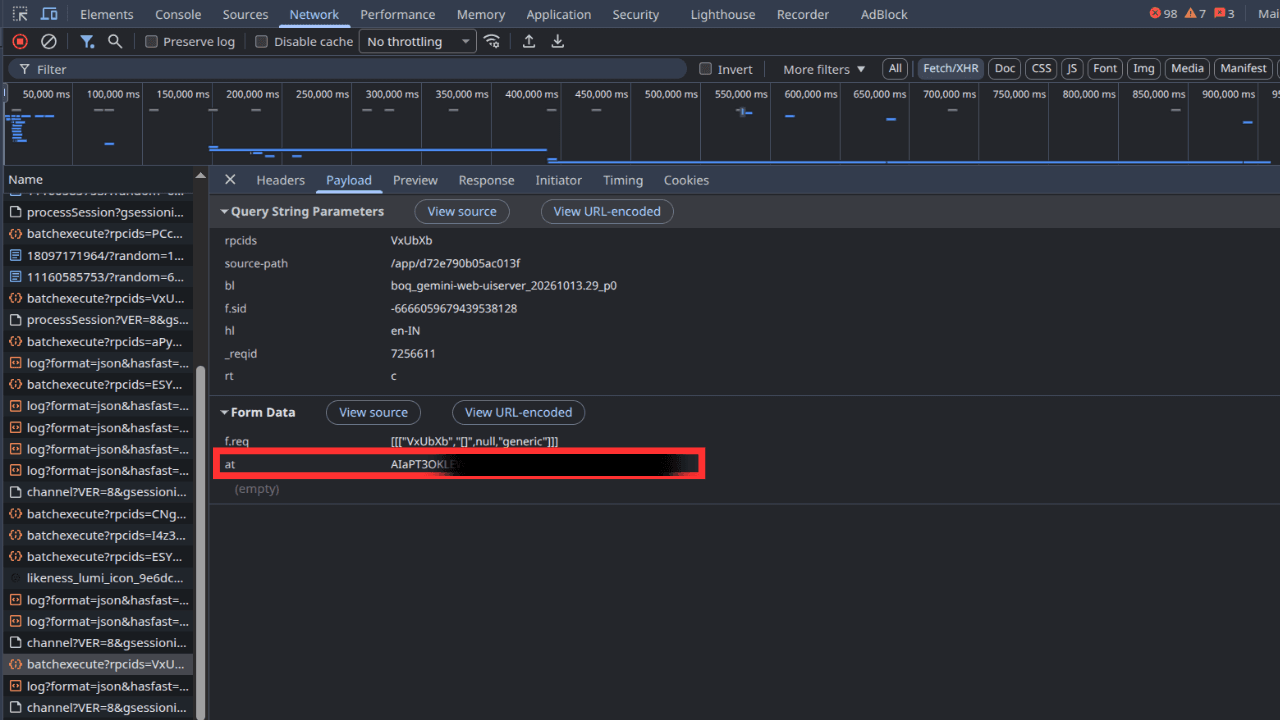
at is the XSRF token used by this SDK configuration.If you cannot find at, check another recent generation request. Do not substitute a different token or field without verifying that it is the correct value.
4. Configure your environment
Store both values in your environment file and pass them to the SDK. Obtain them from the same signed-in session.
GEMINI_COOKIES="your_complete_cookie_header"GEMINI_XSRF_TOKEN="your_at_value"const model = new GeminiWeb({ model: 'gemini-3.6-flash', cookies: process.env.GEMINI_COOKIES, xsrfToken: process.env.GEMINI_XSRF_TOKEN,})